KR
Sending a pallet to an Amazon fulfillment center looks simple until a receiving dock rejects it. A wrong pallet type, a missing label, or a paperwork mismatch can delay check-in, send freight back, or cost you a delivery appointment.
This guide covers the technical side of Amazon FBA LTL pallet requirements: what the pallet should be made of, how high and heavy it can be, which labels go where, how to wrap it, and what the carrier needs at pickup and delivery. It focuses on the pallet itself, not on product-level prep such as barcodes and polybags.
A note on sources: Amazon updates its inbound rules from time to time, and some details below come from Amazon’s seller blog and from guidance posted by Amazon staff in Seller Central forums. Always check the current requirements in Seller Central before you build a shipment.
What an LTL Shipment to FBA Involves
Less-than-truckload (LTL) freight is used when a shipment is too large for small parcel but does not fill a full truck. For FBA, an LTL shipment is created in the Send to Amazon workflow, where you choose a shipping mode, pack your inventory, print box labels, choose a carrier, and then print pallet labels.
Two carrier paths exist:
- Amazon Partnered Carrier. You book through Seller Central, and Amazon provides rates, labels, and tracking. For partnered LTL shipments, Amazon schedules the destination delivery appointment and generates the bill of lading.
- Non-partnered carrier. You arrange the carrier yourself, enter the PRO or freight bill number, print the pallet labels, and make sure the paperwork and appointment are handled correctly.
Amazon Partnered LTL shipments must be palletized. Floor-loaded shipments may be permitted for eligible FTL or intermodal shipments under separate requirements. This guide focuses specifically on palletized FBA LTL shipments.
Pallet Material and Size
According to Amazon’s guidance, LTL pallets should be:
- Wooden, with four-way access so forklifts can enter from any side
- 40 x 48 inches (oversized units that overhang may need a suitably sized pallet)
- GMA Standard B grade or higher. Some categories, such as grocery or health and personal care, have stricter pallet grade requirements, so check the rules for your product category.
Plastic, cardboard, and particle-board pallets are not accepted under the standard requirements, and broken or damaged pallets can be rejected. Using a clean, intact pallet is one of the easiest ways to avoid a problem at the dock.
Height and Weight Limits
Amazon’s guidance sets limits on how tall and heavy a pallet can be:
- Weight: Amazon’s published FBA guidance specifies a maximum of 1,500 lb for a non-stackable pallet and 750 lb for a stackable pallet, including the pallet. Confirm the applicable limits in Seller Central for your shipment.
- Height: Amazon’s published standard limit is generally 72 inches, including the pallet, with exceptions for certain oversized single units. Check the applicable height and stacking requirements before preparing the load.
Because height and weight rules can differ by carrier program and shipment type, check them in Seller Central when you create each shipment rather than relying on a number from memory.
Building the Pallet
How the cartons are stacked matters almost as much as the pallet itself.
- One shipment ID per pallet. All units on a pallet must belong to the same shipment ID. Do not mix cartons from different shipments on one pallet.
- Stack cartons evenly and squarely, flush with the pallet edges, using standard pallet stacking methods. Avoid overhang.
- Face FBA box ID labels outward so they can be scanned without breaking down the pallet.
- Keep products separated so different ASINs are easy to tell apart.
- Orient single-ASIN pallets consistently. If a pallet holds one ASIN, stack all cartons the same way.
- Do not bundle cartons with bags, elastic, or extra straps in place of normal stretch wrapping.
Amazon also caps an LTL shipment at 5,000 boxes. If you are sending more, split it into a second shipment. FBA and Amazon Warehousing and Distribution (AWD) inventory cannot be combined in one shipment, because they go to different destinations, and a mixed shipment may be refused at the site.
Carton Labels and Pallet Labels
Labels are where many pallet errors happen. In Send to Amazon:
- Carton (box ID) labels are printed during shipment creation, before you choose a carrier. Each carton needs its own FBA box ID label, placed so it scans cleanly.
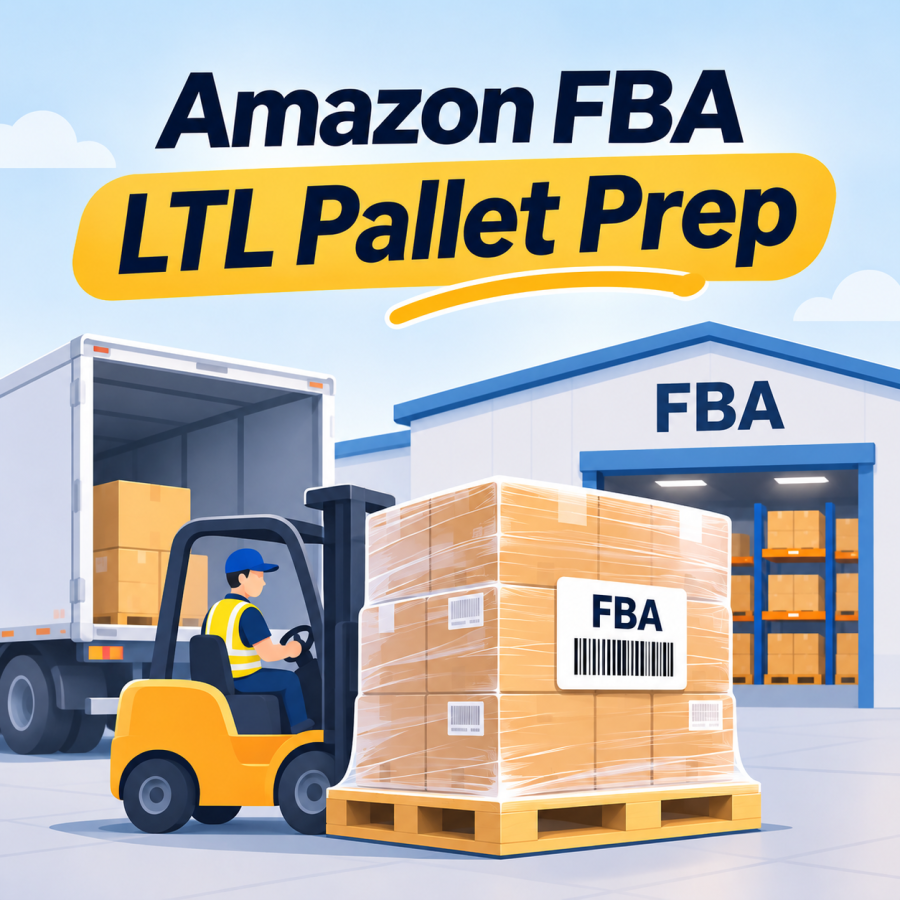
- Pallet labels are printed after you select a carrier. Each pallet requires four FBA Pallet ID labels, with one label placed near the top center of each side, on the outside of the stretch wrap.
Product-level labels, such as FNSKU or manufacturer barcodes on the units themselves, are a separate prep step and follow Amazon’s product labeling requirements.
Stretch Wrap and Handling Notes
Once the pallet is stacked and the carton labels face outward:
- Wrap the pallet in clear plastic stretch wrap so the load holds together without crushing carton corners or blocking forklift access.
- Apply the pallet labels on the outside of the wrap, not underneath it.
- Add a note such as “Do not break stretch wrap” or “Do not break down” for the carrier, so the pallet is delivered intact.
Amazon’s guidance specifies clear wrap, which also keeps the box ID labels on the cartons visible through the wrap.
Bill of Lading and Carrier Paperwork
A valid bill of lading (BOL) is required for every LTL or FTL shipment to an Amazon fulfillment center, and shipments with non-compliant BOLs can be refused at delivery.
- Amazon Partnered Carrier: Amazon generates the BOL automatically on the morning of the pickup date. You can find it in the Shipment summary under the tracking tab.
- Other carriers: the seller prepares the BOL, often using the carrier’s own template. If the carrier has no template, Amazon staff have listed the information a BOL should contain, including Amazon reference and shipment IDs, the seller’s legal name, the origin address, the carrier name and SCAC, the PRO number, handling unit counts, and, for truckload shipments, trailer and seal numbers.
Provide the carrier with the required BOL and the Amazon reference number (ARN) at pickup. Keep Amazon-generated pallet labels unchanged, and ensure the shipment IDs and handling unit counts match the shipping documents.
Confirm Pickup Equipment and Loading Access
Before scheduling an LTL pickup, confirm whether the shipping warehouse has a loading dock, forklift, and sufficient space for the carrier’s truck. If the pickup location does not have a loading dock, liftgate service or an appropriate truck type may need to be arranged in advance, subject to carrier availability and shipment limitations.
Also confirm the warehouse’s receiving and shipping hours, freight-ready date, pallet count, total weight, and pallet dimensions. Missing equipment or incorrect pickup information can result in failed pickups, rescheduling, or additional charges.
Carrier Appointments
Amazon fulfillment centers receive freight by appointment.
- Amazon Partnered Carrier: Amazon coordinates the delivery appointment at the destination facility.
- Non-Partnered Carrier: The seller must ensure that the carrier arranges a delivery appointment through Amazon’s applicable appointment process, typically using Carrier Central. Confirm the appointment requirements with the carrier before pickup.
Amazon has also announced that repeatedly missed delivery appointments can lead to loss of FBA shipping privileges, and asked sellers to notify it at least 24 hours in advance if a carrier cannot make an appointment. That announcement dates from 2020, so confirm the current policy in Seller Central.
If a carrier misses a pickup or delivery, contact the carrier and the fulfillment center as early as possible, since rescheduling options depend on the carrier program and the facility.
Send to Amazon: The Pallet Workflow in Order
For a palletized LTL shipment, the sequence generally looks like this:
- Choose inventory and pack units in Send to Amazon.
- Provide box content information for each pack group, including units per box, weight, and dimensions.
- Confirm shipping and select LTL as the shipping mode.
- Print box labels.
- Select a carrier, either an Amazon Partnered Carrier or your own, and enter the freight-ready date and pallet information.
- Print pallet labels and apply four to each pallet.
- Provide the BOL and ARN to the carrier at pickup, and track the shipment.
Entering an accurate ship date helps avoid delays, and you can update it later if plans change.
Common Pallet Mistakes
Based on Amazon’s stated requirements, these are the problems most worth preventing:
- A plastic, cardboard, damaged, or non-four-way pallet
- Mixed shipment IDs on one pallet
- Cartons overhanging the pallet or stacked unevenly
- Pallets over the weight or height limits
- Labels placed under the stretch wrap, covered, or missing a side
- FBA and AWD inventory on the same shipment
- A missing or non-compliant BOL
- No delivery appointment arranged for a non-partnered carrier
Pallet Preparation Checklist
- Wooden, four-way, 40 x 48 inch pallet in good condition, with the grade required for your category
- One shipment ID per pallet
- Cartons stacked flush, with box ID labels facing outward
- Total weight at or under the applicable limit (stackable or non-stackable)
- Height within the current limit for your shipment type
- Pickup location confirmed for loading dock, forklift, and truck access, or liftgate arranged in advance
- Pickup hours, freight-ready date, pallet count, total weight, and pallet dimensions confirmed with the carrier
- Clear stretch wrap applied, with a “Do not break stretch wrap” note
- Four pallet labels, one per side, on the outside of the wrap
- BOL prepared or generated, with the ARN, PRO number, and handling unit counts
- Delivery appointment confirmed (automatic for partnered carriers, arranged for others)
Key Takeaway
Pallet rejection is usually caused by small details: the wrong pallet, a hidden label, a mismatched shipment ID, or missing paperwork. Building each pallet from a written checklist, and confirming current limits in Seller Central before each shipment, removes most of that risk.
PNP LINE supports Amazon FBA sellers with pallet building, stretch wrapping, pallet labeling, and inbound shipment coordination upon request, including help with carrier booking and delivery to the assigned facility. The scope of each service can be arranged according to your requirements and the warehouse’s capabilities. Learn more about our Amazon FBA prep services.
📋 Request an Online Quote https://www.pnpline.com
Source References
- Amazon, “Pay less to stock more with Amazon LTL carriers” (Sell on Amazon, November 8, 2025) — https://sell.amazon.com/blog/amazon-ltl-shipments
- Amazon Supply Chain Services, “How to send your inventory to Amazon Fulfillment Centers” — https://supplychain.amazon.com/blog/how-to-send-inventory-to-amazon-fulfillment-centers
- Amazon, “Partner Carrier program (PCP)” (Sell on Amazon) — https://sell.amazon.com/programs/partner-carrier
- Amazon Seller Central Forums, “Seller requirements for LTL, FTL, and FCL deliveries” (post attributed to Amazon staff) — https://sellercentral.amazon.com/seller-forums/discussions/t/1fa2b3b5-802c-43c2-b751-856b4a677724
- Amazon Seller Central Forums, “Basics of Bills of Lading” (post by an Amazon representative) — https://sellercentral.amazon.com/seller-forums/discussions/t/514cb472-6149-4b06-a45c-17b1ac20b456
- Amazon Seller Central Forums, “Non-Amazon partnered carrier” (reply from Amazon staff) — https://sellercentral.amazon.com/seller-forums/discussions/t/f364ae48-5af9-4356-8b04-d8d96256a0c8
- Amazon Seller Central Forums, “Policy change for missed FBA shipping appointments” (News and Announcements; policy effective August 25, 2020) — https://sellercentral.amazon.com/seller-forums/discussions/t/5b10a7f57f3df3a46a6587df7bf8f1dc
Disclaimer: Amazon’s inbound requirements, including pallet specifications, height and weight limits, labeling, carrier programs, appointment rules, and shipment limits, change frequently and can vary by fulfillment center, shipment type, and product category. This article is provided for general informational purposes and does not constitute Amazon-policy or transportation advice. Sellers should confirm current requirements in Seller Central and with their carrier before building and shipping pallets.
#Amazon FBA LTL pallet requirements, #Amazon FBA pallet requirements, #how to palletize for Amazon FBA, #Amazon FBA pallet labels, #Amazon LTL shipment prep, #FBA pallet stretch wrap, #Amazon FBA bill of lading